Technical Ragdoll MMA Controls Guide
Find the real bindings in-game, then build defense habits that survive balance patches.
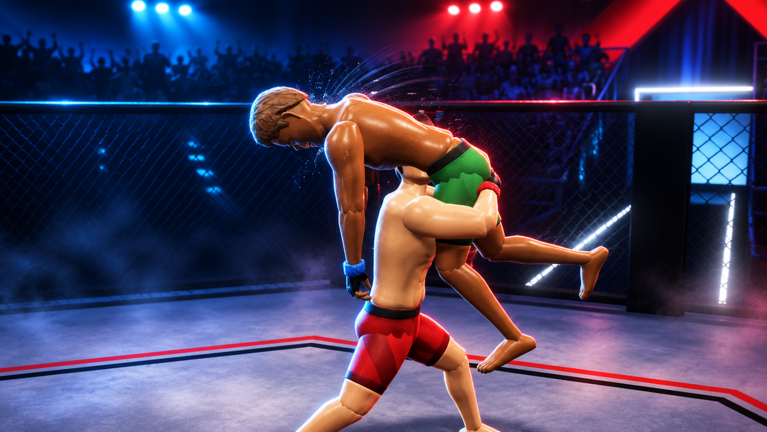
Every Technical Ragdoll MMA session should start the same way: open the in-game Controls menu before you throw a punch. This guide explains how to approach Controls on PC, Mobile, and Console, which defensive habits to practice first, and why you must never copy keybinds from other Roblox MMA games—especially Ragdoll MMA by MattValidd, which is a different experience.
Technical Ragdoll MMA by Technical_MMA is physics-driven. Slip, block, clinch, shoot, and ground work all depend on timely inputs against ragdoll bodies. When the developer rebalances combat, bindings or sensitivity expectations can shift. A static wiki table of invented keys would mislead you. The Controls menu inside the place is the source of truth.
Play the official place: Technical Ragdoll MMA. Servers allow up to 10 players. New players should pair this page with Getting Started and then drill in Sparring or Quick Match before Ranked Season.
How to open Controls
Exact menu labels can move with UI updates, but the process is consistent:
- Join the live experience and wait until your fighter and HUD are ready.
- Open the experience’s settings / menu cluster (Roblox escape/menu patterns differ slightly by device).
- Locate Controls (or the equivalent binding list for this place).
- Read every combat-related action: movement, strikes, kicks, block, slip, clinch, takedown/shoot, and any ground actions listed.
- Leave the menu open or screenshot it on a second device the first week so you are not guessing mid-fight.
If you cannot find Controls, leave the match lobby, rejoin, and check again before queueing Ranked. Fighting blind is how bad muscle memory forms.
Device classes: PC, Mobile, Console
Technical Ragdoll MMA runs through Roblox on PC, Mobile, and Console. Input comfort changes the meta for you even when the physics are shared.
PC
PC players usually have the highest precision for slips and directional shoots. After opening Controls:
- Confirm whether you use keyboard + mouse or a controller.
- Identify separate inputs for light vs power strikes if the menu lists them.
- Practice small directional adjustments for slips—ragdoll timing punishes late leans.
- Rebind only inside the game’s allowed options; do not assume third-party overlays are safe or allowed.
Mobile
Mobile fights succeed when thumbs can reach defense without covering the screen.
- After opening Controls, note which actions are on-screen buttons versus gestures.
- Prioritize comfortable block and slip placement; offense is useless if you cannot survive pressure.
- In Sparring, fight at a distance that matches your touch latency; do not learn Ranked habits on a laggy network.
- Rotate the device orientation only if the UI remains fully usable—never sacrifice seeing the opponent’s hips before a shoot.
Console
Console players should treat stick discipline as part of defense.
- Map the Controls list to face buttons and triggers mentally before the first bell.
- Practice clinch entry and exit without spinning the camera wildly.
- Confirm aim assist or camera help behavior in real Sparring—not in Ranked.
Whenever you switch devices, re-open Controls. A Mobile main who borrows a friend’s PC must relearn the layout, not guess.
Practice habits that matter more than memorizing keys
Knowing the label for “slip” is step one. Step two is building reliable habits under pressure. Use Sparring (private with friends) or calm Quick Match rounds. Full mode list: Game Modes.
Slip
Slipping is your answer to readable punches and high kicks. Habit goals:
- Slip early enough that the ragdoll head/torso clears the path.
- Return to stance; do not celebrate the slip with a long recovery.
- Pair slips with footwork so taller opponents cannot reset range for free—see height notes in Fighter Build.
Block
Blocking absorbs exchanges when slipping is late.
- Block in flurries; release to reset stamina/cardio pressure as your build allows.
- Do not hold block forever against wrestlers who will punish static shells—be ready to sprawl or clinch.
- After a blocked combination, decide: counter strike or clinch to kill their rhythm (Striking Defense).
Clinch
Clinching bridges stand-up and wrestling.
- Use clinch to stop a blitzing striker.
- From clinch, decide whether to break, dirty box, or transition toward a shoot (Grappling and Takedowns).
- Practice clinch exits so you are not stuck eating knees against the fence/cage visual.
Drill these three until they are automatic. Then add shoots and ground finishes.
What this guide will not do
- No invented key tables copied from Ragdoll MMA or generic “Roblox MMA” charts.
- No guarantee that yesterday’s bind still matches today’s patch—always verify in Controls.
- No script macros — automation risks your account; if you research community tools, read warnings on Scripts and understand Roblox ToS implications yourself.
As of November 2026 there are also no confirmed promo codes for Technical Ragdoll MMA; Controls will not redeem fake lists from Codes status pages.
Suggested training loop (15–20 minutes)
- Open Controls; refresh the action list.
- Warm up in Sparring: movement only for one round.
- Defense round: opponent strikes, you only slip/block/clinch.
- Entry round: you add one shoot attempt after a clinch.
- Free round: apply Striking Defense and light wrestling.
- Note what still feels awkward; adjust sensitivity or button comfort, then rematch.
Repeat this loop after any major update listed on Updates. Career Mode content does not replace Controls literacy—you still need the same inputs in career fights and in Ranked.
Controls mindset for Ranked
Before you climb Amateur→Champion in Season 1:
- You can find block, slip, and clinch under stress without opening a guide mid-round.
- You know how your weight class changes how forgiving late inputs feel (heavier builds may hit harder but recover slower—Fighter Build).
- You have played Fight Now variants only after understanding their rules in Game Modes so Bare Knuckle or Open Weight do not surprise your muscle memory.
Ranked exclusive gear is not worth learning Controls in public losses. Calibrate first.
Troubleshooting input problems
| Symptom | Likely cause | What to try |
|---|---|---|
| Actions do nothing | Menu focus / wrong device profile | Reopen Controls; rejoin place |
| Slips feel late | Latency or wrong timing habit | Sparring on stable network; slip earlier |
| Cannot clinch | Looking for wrong bind | Re-read Controls list; ask sparring partner to hold still |
| Mobile mis-taps | Overcrowded thumbs | Prioritize defense buttons; simplify offense |
| Copied “guide binds” fail | Wrong game’s layout | Discard external bind sheets; use in-game only |
Cross-links for the next skill
- New to the game? Getting Started.
- Ready to shape height/muscle/fat? Fighter Build.
- Stand-up details? Striking Defense.
- Wrestling details? Grappling and Takedowns.
- Playlist choice? Game Modes and Ranked Season.
- Hub index: Guides Hub.
Master the menu, then master the habits. Technical Ragdoll MMA Controls literacy is a practice loop, not a one-time screenshot.
Frequently Asked Questions
Quick answers to the most common questions.
Where are the official keybinds listed?
Only in the in-game Controls menu. Developers can change balance and bindings—verify there every session and after patches.
Can I use Ragdoll MMA (MattValidd) key guides?
No. That is a different game. Using those binds will confuse your muscle memory and often simply will not match.
What should I practice first?
Slip, block, and clinch in Sparring or Quick Match until they are automatic under pressure.
Do Mobile and Console share PC binds?
No. Each device class has its own layout. Re-open Controls whenever you switch platforms.
Should I learn Controls in Ranked?
No. Calibrate in Sparring or Quick Match so Season 1 progress and exclusive gear stays intact.